- Premium Audio Tools Online
AudioAlter
Redefine Your Sound
Professional AudioAlter is the next generation of audio transformation where raw sound meets intelligent innovation. Designed for creators, professionals, and visionaries, AudioAlter empowers you to shape, enhance, and elevate your audio with precision and creativity. Processing tools right in your browser. No downloads, no registration required.
What is AudioAlter?
AudioAlter is an intelligent audio transformation platform designed to reshape sound with precision and creativity. It blends advanced technology with intuitive controls to make audio editing seamless and powerful. Whether you are a creator, musician, or professional, AudioAlter gives you full control over your sound.
With cutting-edge processing and smart enhancements, AudioAlter elevates audio quality to a new level. It adapts to your needs, offering flexibility, clarity, and innovation in every edit. AudioAlter is not just a tool it is the future of audio evolution.
Audio Processing Tools
Choose from our collection of professional audio tools to enhance, edit, and transform your audio files.
OTHER TOOLS
Choose from our collection of professional audio tools to enhance, edit, and transform your audio files.
How It Works
Upload your audio, apply smart transformations, fine-tune results, and export polished sound instantly with AudioAlter.
Upload
Easily upload your audio files in any format. Drag, drop, or browse to start quickly, effortlessly, and without any limits or restrictions.
Edit & Enhance
Edit, refine, and enhance your audio effortlessly. Apply professional-quality effects, smart adjustments, and creative transformations.
Download
Download your polished audio instantly in your preferred format. Share, save, or use your high-quality sound anywhere, anytime, easily.
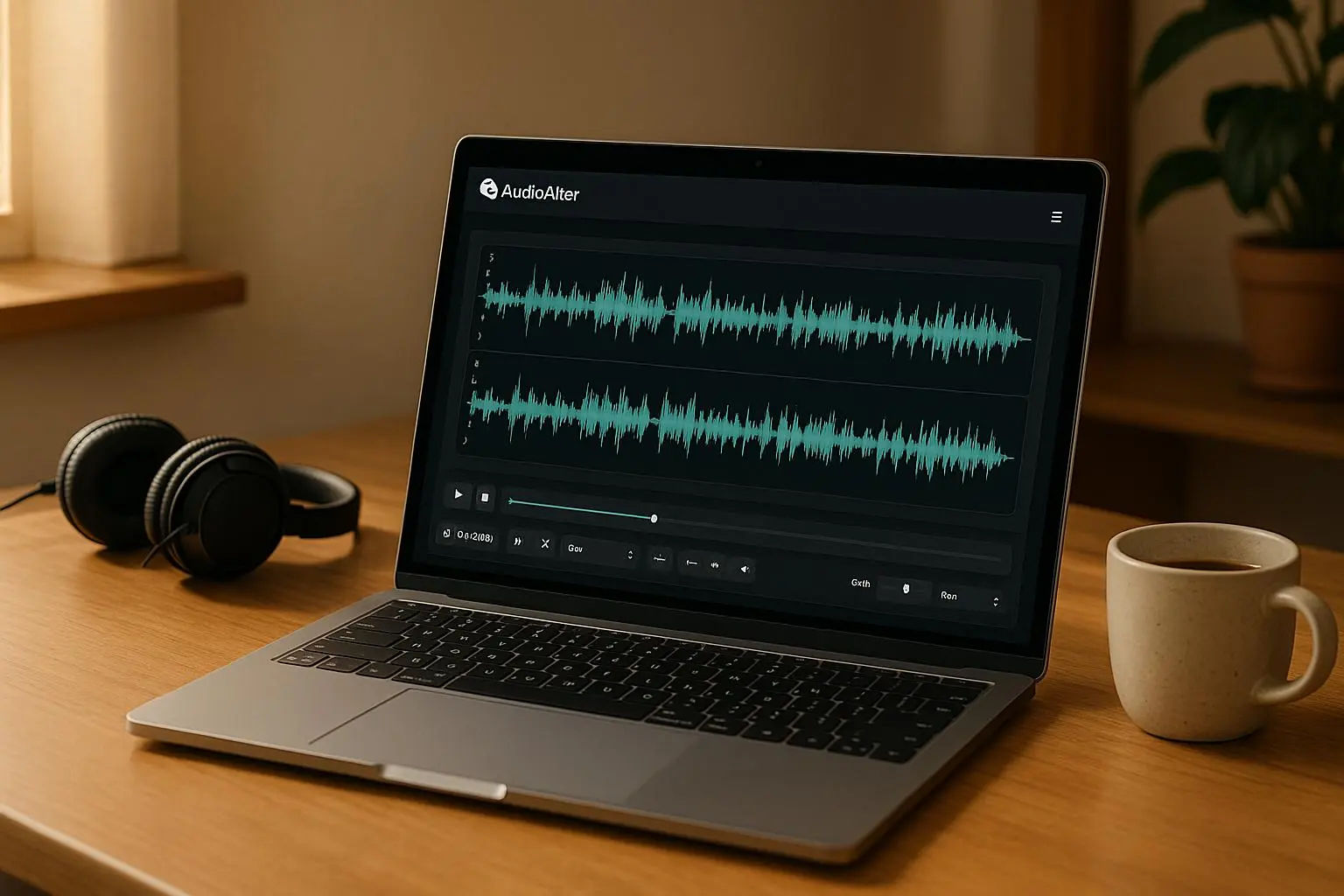
See AudioAlter In Action
Experience how AudioAlter transforms your audio effortlessly. Watch real-time editing, enhancements, and effects in action, and discover how quickly you can create professional-quality sound like never before.
What Our Users Say
Hear from creators, podcasters, and producers who rely on AudioAlter’s powerful, intuitive tools to transform audio, streamline workflows, and elevate every project to professional-quality sound.




Why Choose AudioAlter?
AudioAlter delivers fast, AI-powered audio enhancement with professional-quality results, intuitive tools, and flexible pricing, making high-quality sound accessible to creators, businesses, and professionals alike.
| Feature | AudioAlter | Tool A | Tool B |
|---|---|---|---|
| Bass Booster | ✔ | ✔ | ✖ |
| Voice Changer | ✔ | ✖ | ✔ |
| Audio Trimmer | ✔ | ✔ | ✔ |
| Speed Changer | ✔ | ✔ | ✖ |
| Pitch Shifter | ✔ | ✖ | ✔ |
| Noise Remover | ✔ | ✖ | ✔ |
| Batch Processing | ✔ | ✖ | ✖ |
| HD Quality Output | ✔ | ✔ | ✖ |
| No File Size Limit | ✔ | ✖ | ✖ |
| API Access | ✔ | ✖ | ✖ |
| Free Plan Available | ✔ | ✔ | ✖ |
Who Uses AudioAlter?
AudioAlter empowers creators, musicians, podcasters, and businesses to effortlessly enhance, edit, and transform audio with professional-quality results, intuitive tools, and fast, AI-powered processing for every project.
Musicians
AudioAlter empowers musicians with AI-driven tools for flawless sound editing, pitch correction, noise removal, and creative effects, making professional-quality audio production fast, easy, and accessible to every artist.
Podcasters
AudioAlter empowers podcasters with AI-driven audio tools for crystal-clear sound, noise removal, easy editing, and professional-quality production, helping creators save time, engage audiences, and elevate their podcasts effortlessly.
Video Editors
AudioAlter: AudioAlter empowers video editors with fast, AI-driven audio tools, enhancing sound quality, removing noise, and adjusting pitch effortlessly, making every video professional, clear, and impactful.
Content Creators
AudioAlter: AudioAlter empowers content creators with fast, intuitive, AI-powered audio tools, delivering professional-quality sound, seamless editing, and flexible plans, making every project crisp, polished, and audience-ready.
Works With Your Favorite Platforms
AudioAlter seamlessly integrates with popular platforms, letting creators, musicians, and businesses enhance audio effortlessly across tools they already use, ensuring professional-quality sound without disrupting existing workflows.
YouTube
Spotify
SoundCloud
Apple Music
TikTok
Google Drive
Twitch
Audacity
Frequently Asked Questions
What is AudioAlter?
AudioAlter is an online audio editing platform offering tools like pitch shifting, speed changes, noise removal, and audio enhancement.
Who can use AudioAlter?
Musicians, content creators, podcasters, businesses, and anyone needing simple, professional audio editing.
Is AudioAlter free to use?
Yes, AudioAlter offers a free plan with limited tools and usage, plus paid plans for advanced features.
Does AudioAlter require software installation?
No, it’s web-based and works directly in your browser.
Which devices support AudioAlter?
It works on desktop, tablet, and mobile devices with internet access and modern browsers.
What audio effects does AudioAlter offer?
AudioAlter provides a variety of effects including pitch shifting, speed changing, bass boosting, voice changing, noise removal, and audio trimming for professional sound adjustments.
Can AudioAlter process multiple files at once?
Yes, batch processing is available for Pro and Enterprise users, allowing multiple files to be edited simultaneously, saving time.
Does AudioAlter improve audio quality?
Yes, it enhances audio clarity, removes background noise, and supports HD-quality output suitable for music, podcasts, or videos.
Can I change audio speed and pitch?
Absolutely, you can adjust speed without affecting pitch, or shift pitch while keeping the timing consistent for precise audio customization.
Does AudioAlter support long or large audio files?
Yes, free users have smaller file size limits, while Pro and Enterprise plans allow large audio files and extended duration processing.
Does AudioAlter work with other platforms?
Yes, it integrates seamlessly with popular content creation tools, video editors, DAWs (Digital Audio Workstations), and online publishing platforms.
Can I use AudioAlter for podcasts or voiceovers?
Yes, features like noise removal, bass enhancement, and voice modulation are perfect for producing clear, professional podcast and voiceover audio.
Is it compatible with Windows, Mac, and Linux?
Yes, as a browser-based tool, AudioAlter works across all major operating systems including Windows, Mac, and Linux.
Does AudioAlter provide API access?
Yes, Enterprise subscribers can access the API for automating audio processing and integrating AudioAlter functionality into custom applications.
Can AudioAlter be used on mobile devices?
Yes, the platform is fully responsive, meaning you can edit and process audio from tablets and smartphones on the go.
How quickly can audio be processed?
AudioAlter is an online audio editing platform offering tools like pitch shifting, speed changes, noise removal, and audio enhancement.
How does AudioAlter pricing work?
Musicians, content creators, podcasters, businesses, and anyone needing simple, professional audio editing.
Can I upgrade or downgrade my plan anytime?
Yes, AudioAlter offers a free plan with limited tools and usage, plus paid plans for advanced features.
What payment methods are accepted?
AudioAlter accepts common online payments including credit/debit cards and digital wallets for secure and easy transactions.
Is there customer support available?
Yes, free users get community-based support, while Pro and Enterprise subscribers receive priority assistance from the AudioAlter support team.